DocSteer: a Jekyll theme for documentation
A documentation page that exists but that nobody can find is worth about as much as a page that was never written. DocSteer is a Jekyll theme built around that problem.
Anyone working in IT spends a fair chunk of the day inside documentation: runbooks, procedures, knowledge base articles, internal wikis nobody has opened in a year. And the hard part is almost never writing it — it is making it findable months later, by someone with an open ticket and very little patience.
DocSteer is a Jekyll theme for exactly that kind of site: technical documentation, support portals, internal knowledge bases. The grouped sidebar, the search and the “On this page” table of contents are not decoration — they are the reason the site exists.
- Why another documentation theme
- What it does
- Why “DocSteer”
- How to use it
- How it was built
- What’s still missing
- Why it’s free
Why another documentation theme
There are already plenty of Jekyll documentation themes, and some of them are very good. What I wanted was something narrower: a theme you could stand up in an afternoon, that did not drag in a Node toolchain, and that did not ask you to learn another framework before writing your first page.
The theme behind this site, which I did extract and publish separately, was never going to get there: it is built for a bilingual personal site with a CV, a handful of pages and a blog. Documentation is a different problem. It needs a grouped, collapsible sidebar, a search that holds up across dozens of pages, a table of contents that builds itself, a prev/next pager that follows the navigation order. Each of those can be bolted on by hand, one at a time — which is precisely how you end up with a blog theme covered in patches.
What it does
-
Six colour skins —
aqua,violet,mint,ember,graphite,clay— each with a light and a dark variant, defined as one Sass map and emitted as CSS custom properties. Every skin’s brand colour clears WCAG AA contrast (4.5:1) against its own background. -
Dark mode that follows the OS, with a manual toggle stored in
localStorageand no white flash on load. - Live search — a Liquid-generated JSON index and a keyboard-driven modal (/ or ⌘K), with no external library at all.
- Auto table of contents built from your headings, with scroll-spy, plus a prev/next pager that follows the navigation order on its own.
-
FAQ pages —
layout: faqrenders an accordion built on native<details>, with a per-question anchor,FAQPagestructured data, and each question indexed as its own search result. - Image lightbox with galleries, captions and keyboard navigation.
- Font Awesome 6.5.2 Free bundled locally by default, so the site works offline and behind corporate firewalls. The CDN stays an option.
-
SEO —
jekyll-seo-tag, sitemap, RSS feed, Open Graph and JSON-LD.
No CSS framework, no Node build step: about 7 kB of vanilla JavaScript in total, all deferred, compressed CSS and Sass compiled by Jekyll.
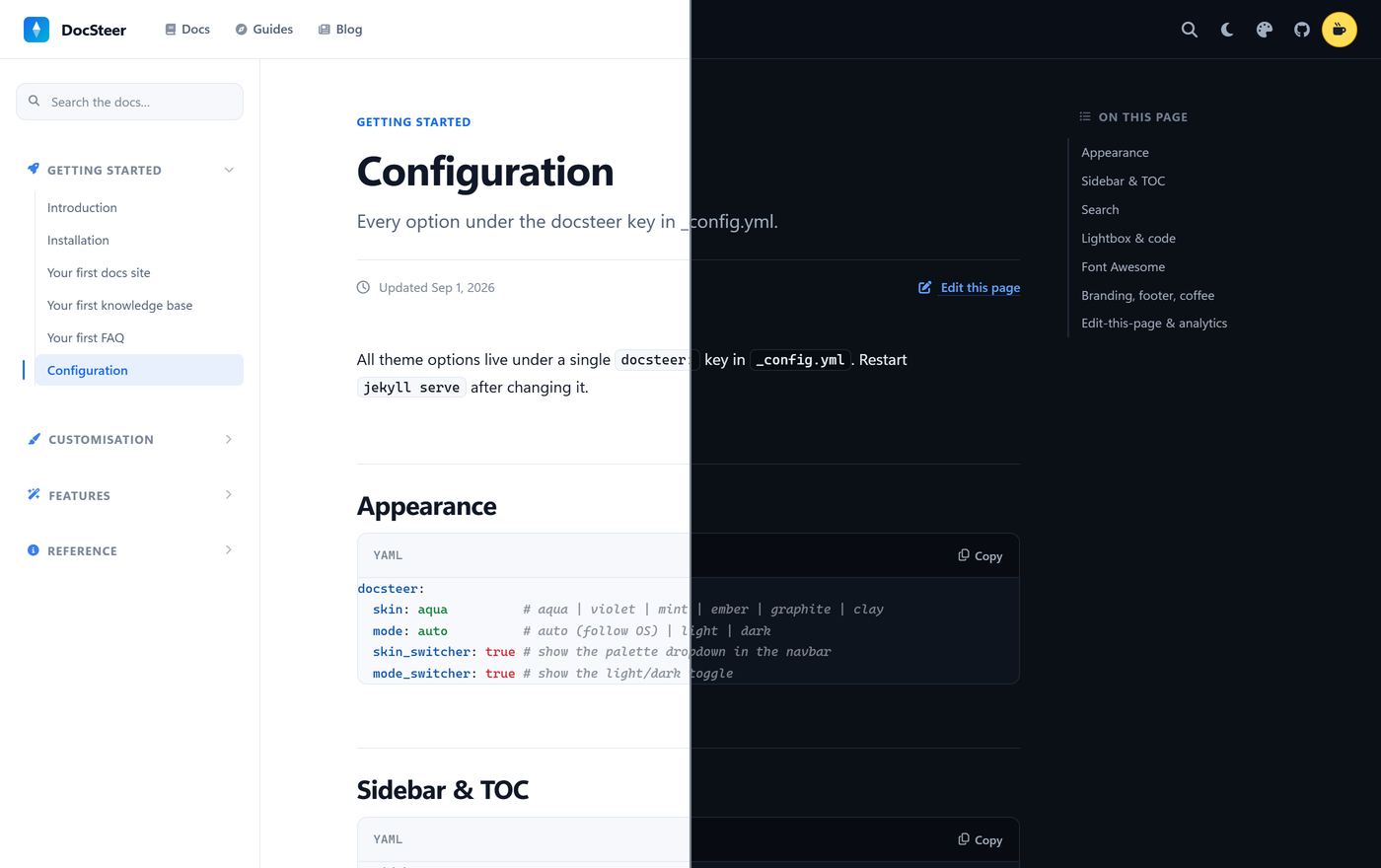
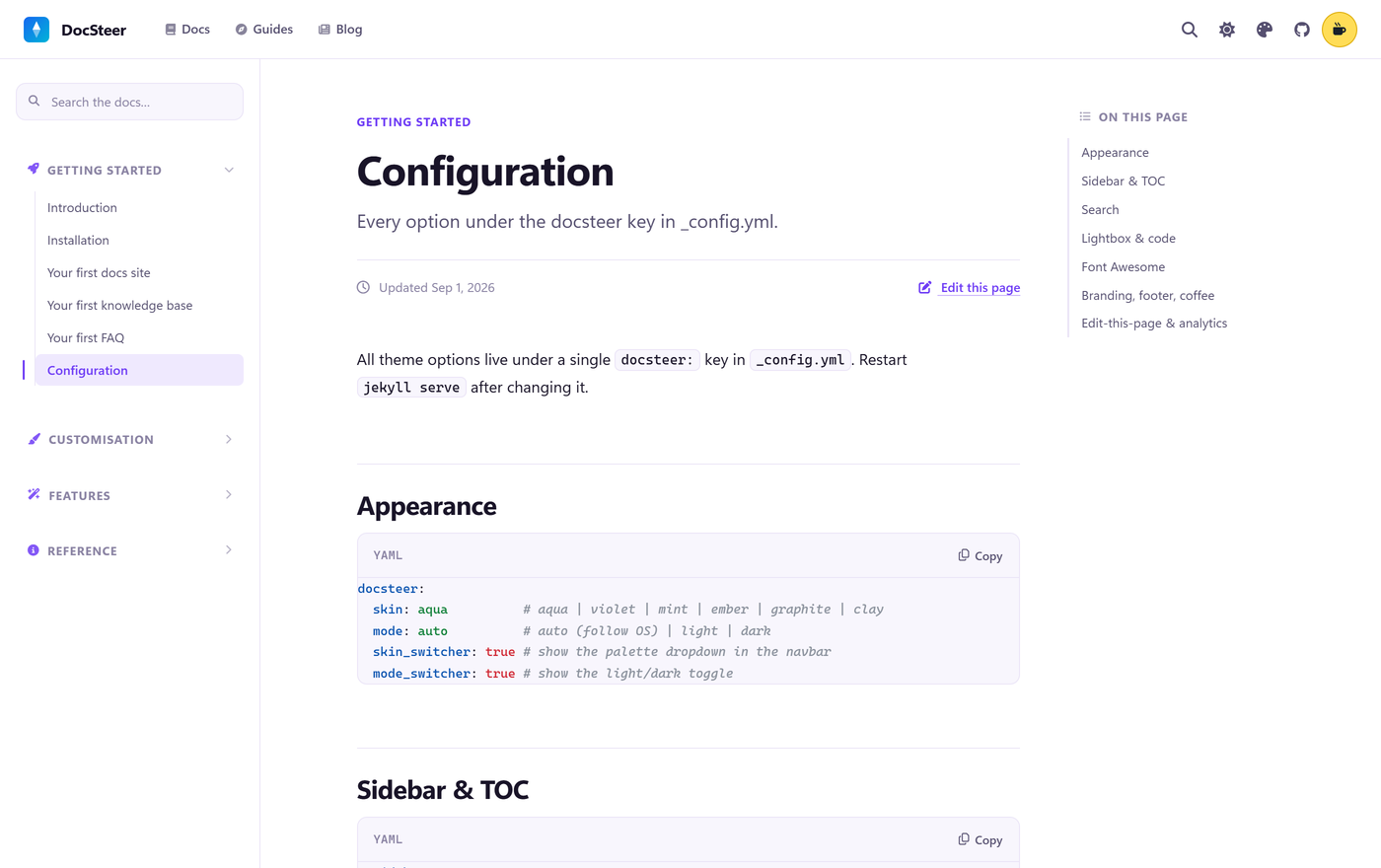
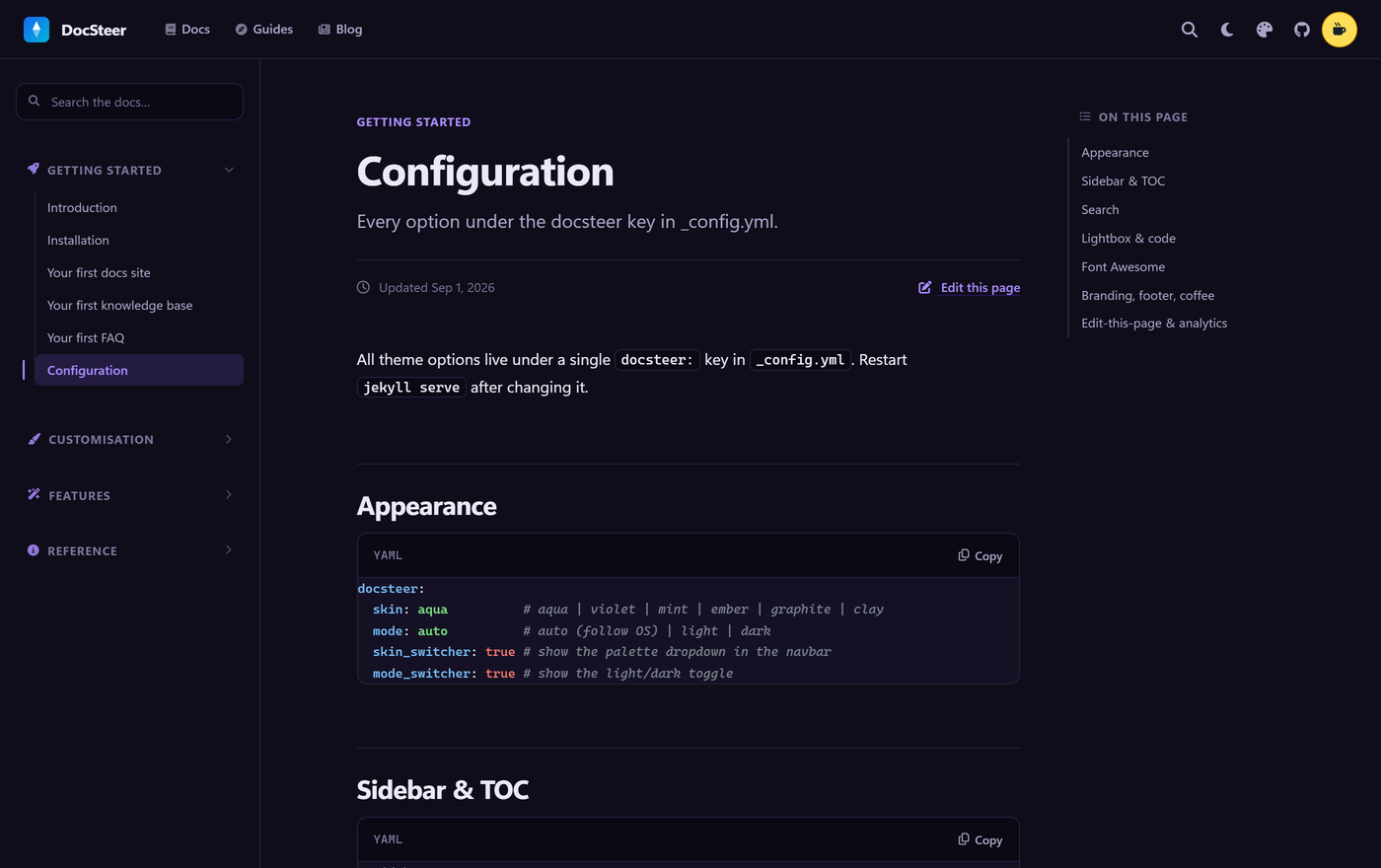
Light and dark are not two themes to keep in sync: they are the same map of custom properties with different values. Here is the configuration page cut down the middle — light on the left, dark on the right — with the sidebar, the table of contents and a code block with a copy button:
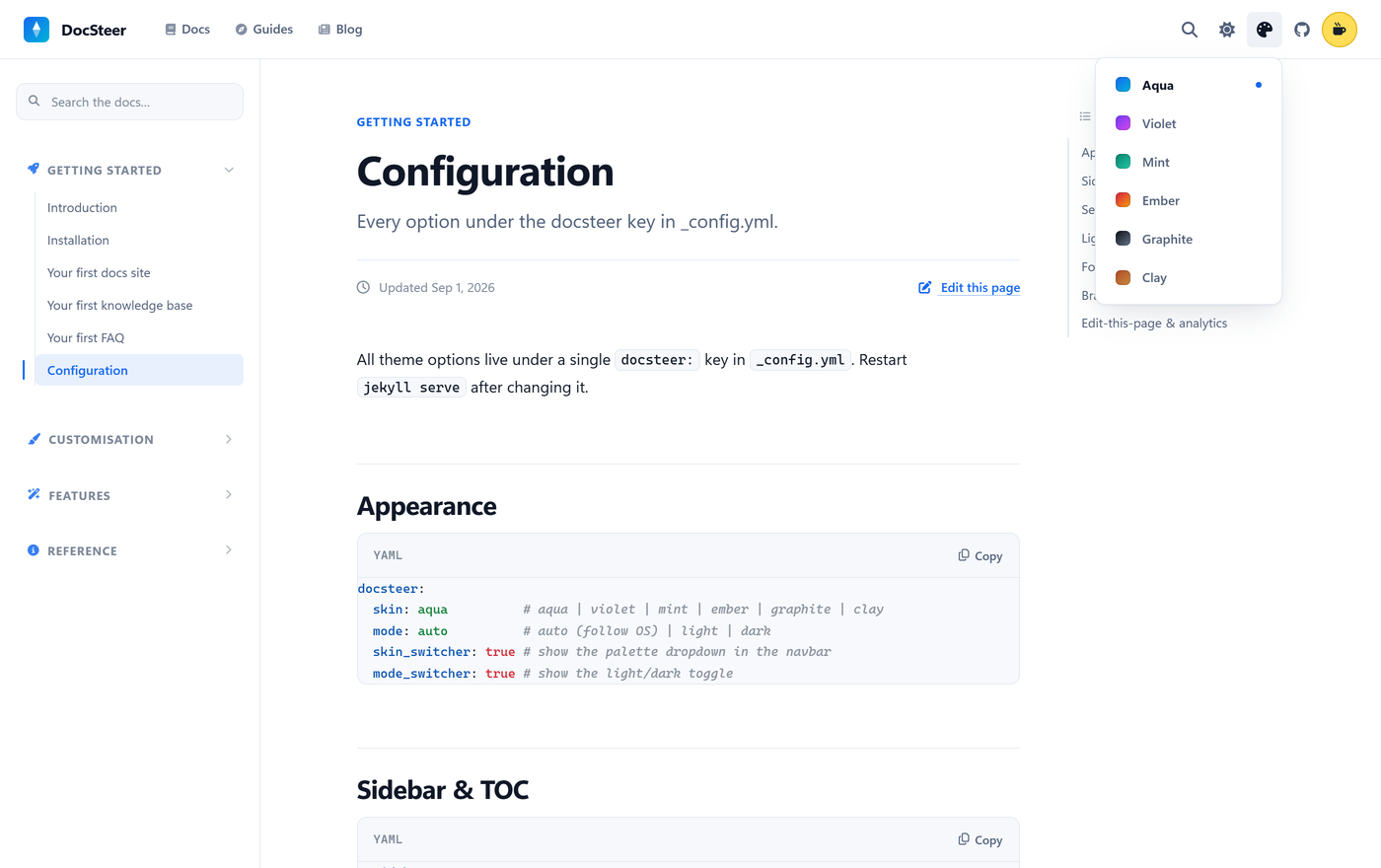
The six skins are picked from the palette menu in the navbar, and each one has its own light and dark variant:
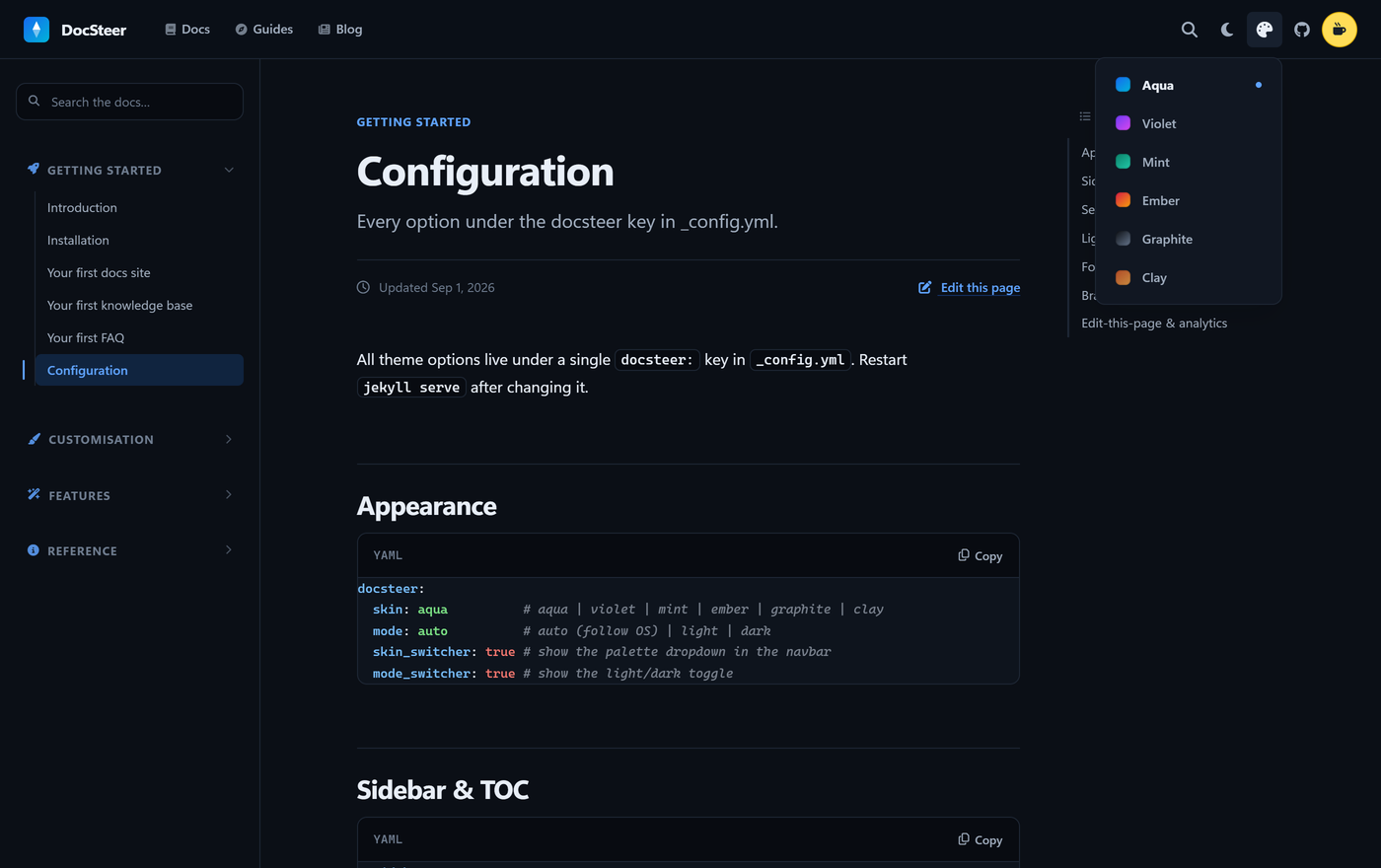
Switching one does not touch a line of markup, only custom properties. This is the exact same page with the Violet skin:
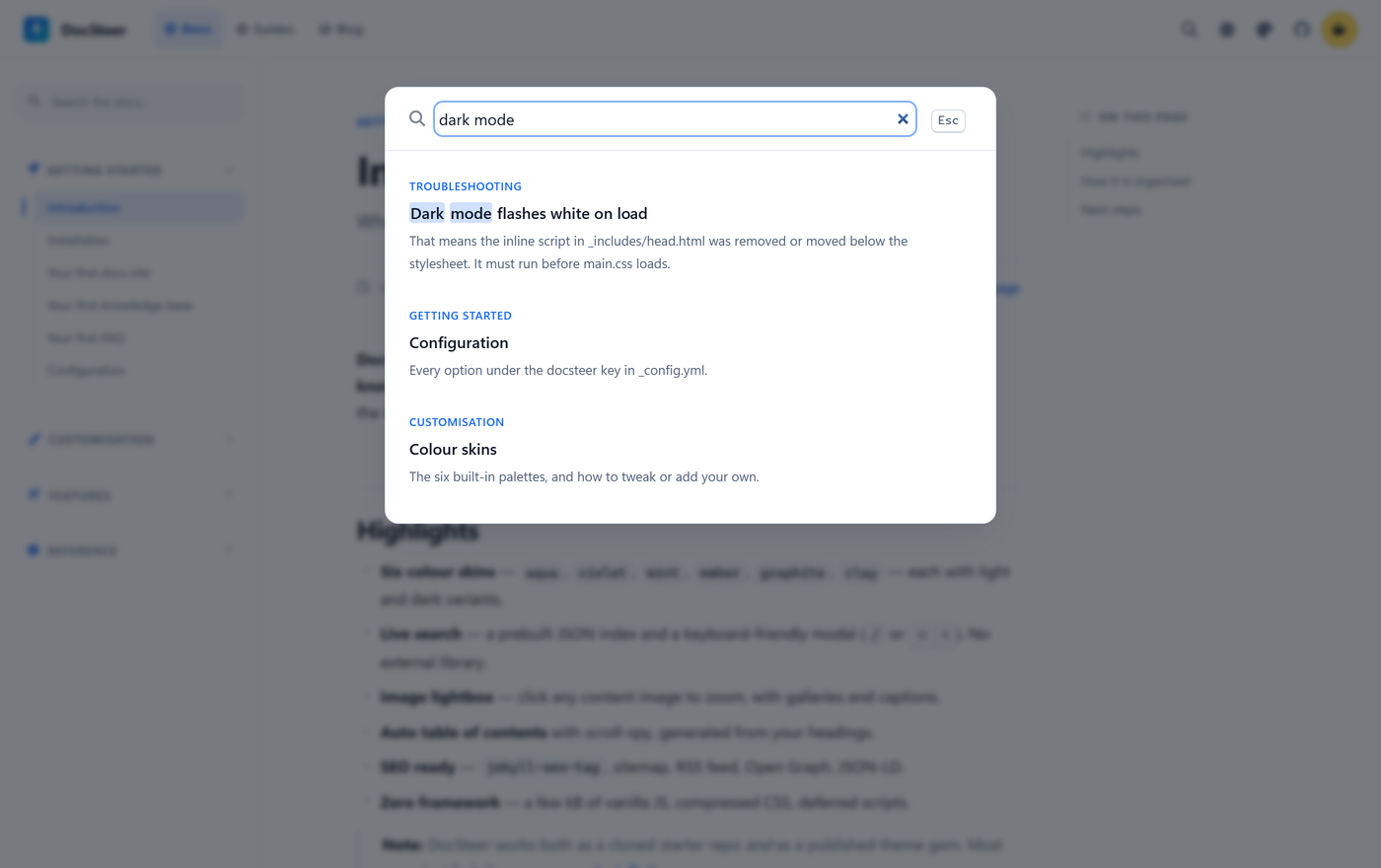
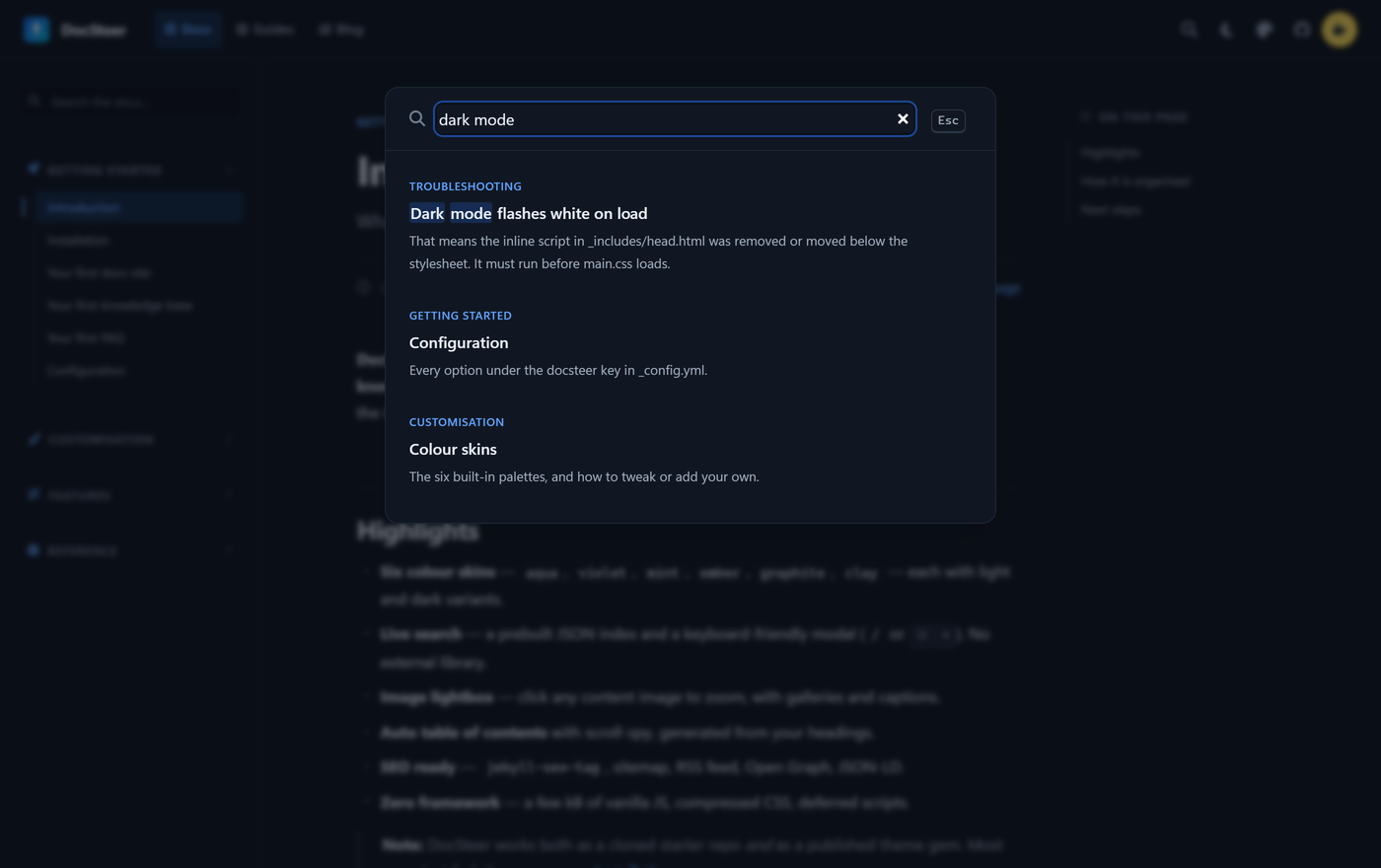
Search is the part I care about most, because it is what decides whether a knowledge base is something you consult or just something you archive. It opens from the keyboard and groups results by section as you type:
Why “DocSteer”
/dɒkˈstɪə/ — dok-STEER, stress on the second syllable, rhyming with beer.
The name is the job description. Steering is the whole point: the sidebar, the search box and the table of contents exist only to get a reader to the one page they actually came for. A docs site that cannot do that is a folder of Markdown with a stylesheet on top.
The rest I found out afterwards: a steer is also a young ox. That was absolutely not the plan. But as a description of something that hauls a large pile of documentation around without ever complaining, it is hard to argue with — and by now I have made my peace with it.
How to use it
Two ways. As a gem, added to your Gemfile:
gem "jekyll-theme-docsteer", "~> 1.0"
and then in _config.yml:
theme: jekyll-theme-docsteer
plugins:
  - jekyll-seo-tag
  - jekyll-sitemap
  - jekyll-feed
Or by cloning the repo as a starter, so you begin from a site that is already populated and empty it out as you go. The gem is on RubyGems.
Every theme option lives under a single docsteer: key in _config.yml — skin, mode, search, lightbox and the rest:
docsteer:
  skin: aqua          # aqua | violet | mint | ember | graphite | clay
  mode: auto          # auto (follow OS) | light | dark
  skin_switcher: true # show the palette dropdown in the navbar
  search:
    enabled: true
    collections: [docs]
    hotkey: true      # "/" and Cmd/Ctrl-K open search
  lightbox:
    enabled: true
Navigation — the top navbar and the grouped sidebar — all lives in _data/navigation.yml:
sidebar:
  - title: Getting started
    icon: fa-solid fa-rocket
    children:
      - { title: Introduction, url: /docs/introduction/ }
      - { title: Installation, url: /docs/installation/ }
The pager at the bottom of every page follows the order of that file on its own: reorder the navigation and “previous/next” rearranges itself. It deploys to GitHub Pages (via Actions), Netlify, Vercel or Cloudflare Pages.
Live demo and full documentation at cristiancastellari.it/docsteer; code on GitHub.
How it was built
I got a hand from Claude Code (and a great many Opus 5 tokens). The rule I set myself is the same one I used when I rebuilt this site a few weeks ago: the written plan first, the code second. Which layouts were needed (default, home, doc, page), how to structure the search index, what had to stay configurable from a single file — all decided and written down before opening an editor.
Then the implementation one piece at a time, rebuilding and looking at the result before moving on. That is not fussiness: on a theme, when you skip the check, you are not the one who finds the bug — the person installing it is.
Which is not to say it came out perfect. DocSteer already has two releases behind it from the same day as 1.0.0, and they are all things you only see by using the theme rather than building it: the navbar burger did nothing outside documentation pages, the tags at the bottom of an article were inert badges instead of opening the search, and the search index could be served from the browser cache even after publishing new pages. Fixed in 1.1.0 and 1.1.1.
What’s still missing
Two things I already know about, for honesty’s sake.
The Sass sources still use @import. Dart Sass prints deprecation warnings — the build is otherwise clean — and the migration to @use/@forward is planned, but it touches twenty-one files, and in a theme the visual output is the product: a regression in one of the six skins, light or dark, stays invisible until somebody reports it. I would rather do that one slowly.
And the question anchors on FAQ pages are derived from the question text: rewording one changes its URL fragment and breaks deep links already shared. Fixing a typo is safe; rewriting a question needs a second thought.
Why it’s free
The theme is MIT, for personal and commercial use, with no attribution required: the footer credit switches off from config.
The things I have made for free — the Italian translation of Morrowind, the Italian translation of Twitter back in 2009, a converter for DECT phones I open maybe once a year — turned out to be the ones that helped the most people, and almost always in silence: no comments, no emails, just somebody on the other side of the world who solved their problem and closed the tab.
A documentation theme has exactly the same profile. If it saves a day for someone I will never meet, it was already worth writing — and if they want to buy me a coffee, even better.